
The QuickBooks Online Backup Myth (And Why It Matters)
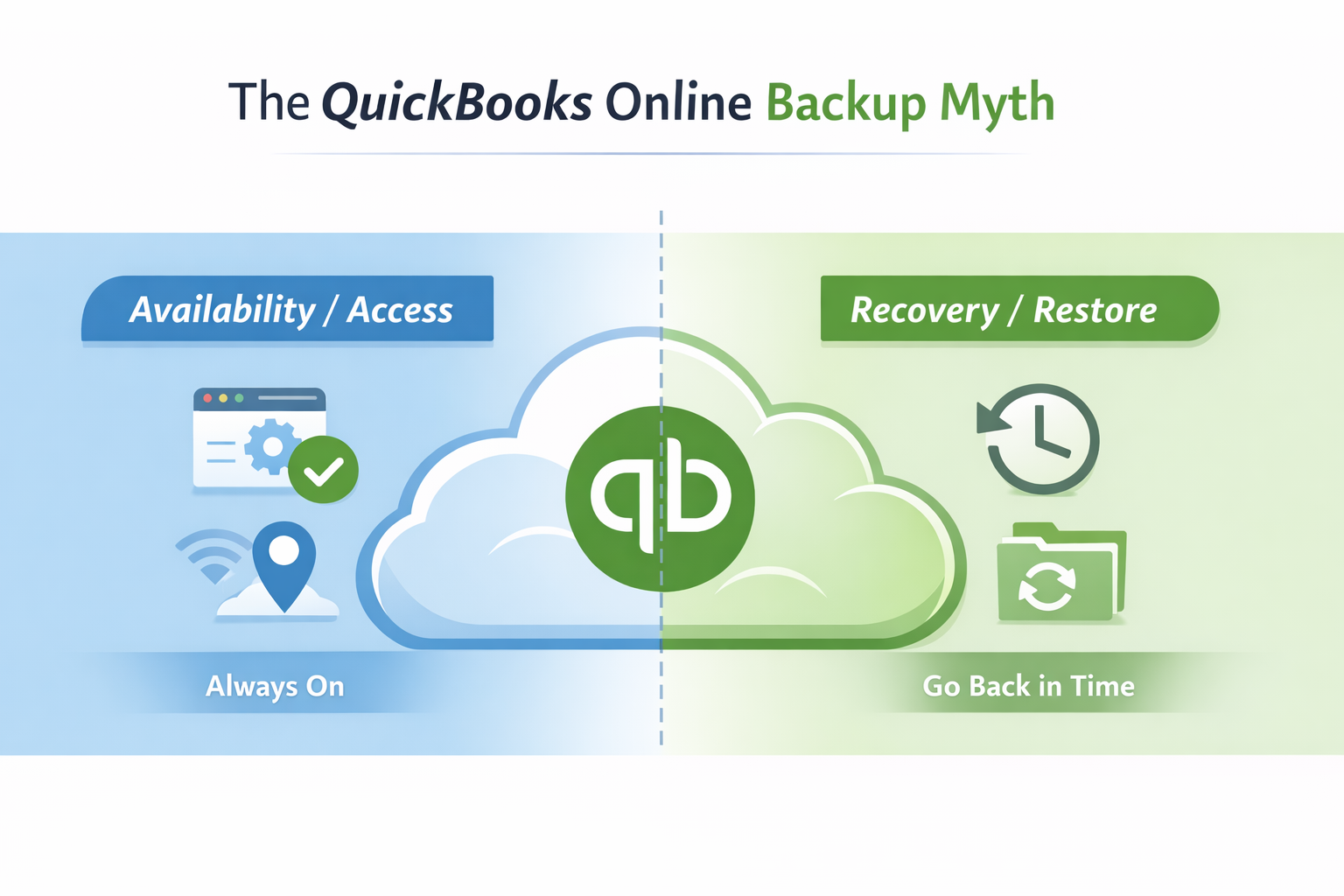
Cloud ≠ Backup
If you’ve ever heard someone say, “We’re on QuickBooks Online, so we’re backed up,” you’re not alone. It’s one of the most common assumptions we see, especially in accounting firms and small businesses that rely on QBO every day.
The reality is simple: being in the cloud is not the same thing as having a usable backup.
QuickBooks Online is designed to keep your data available and the platform running. But when it comes to restoring your data after accidental deletions, bad imports, sync failures, or other real-world issues, most QBO plans do not provide the protection people assume they have.
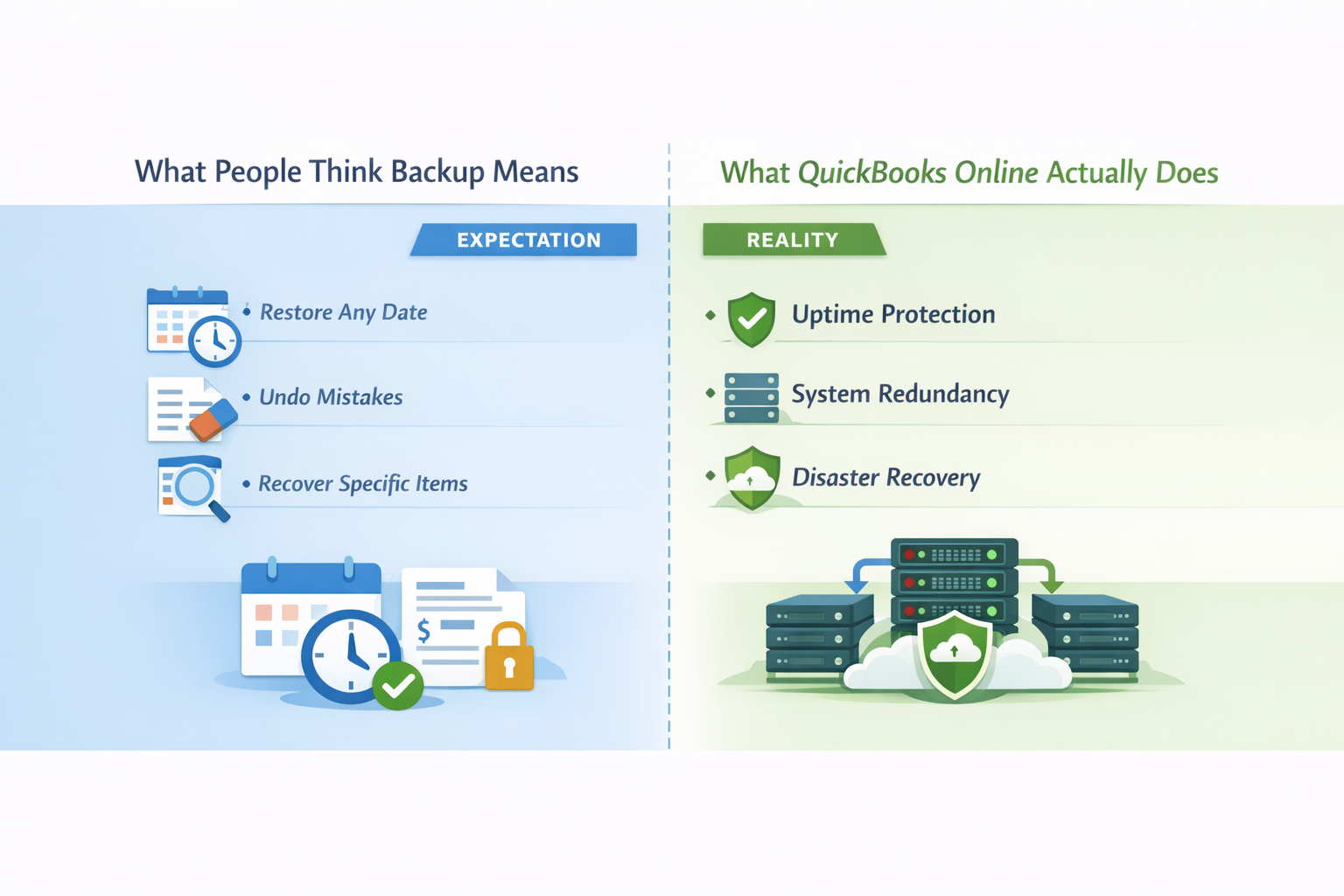
WHAT MOST PEOPLE THINK A BACKUP IS
When most business owners and accountants hear the word “backup,” they assume it means they can roll their data back to a previous point in time, undo a major mistake, or quickly recover from an unexpected issue.
A true backup means:
- You can restore your data to a known-good state
- You can recover after accidental or malicious changes
- You can restore specific items without rebuilding everything manually
This type of recovery is very different from internal system redundancy, which is designed to keep software online, not to undo user-level problems.
Expectation vs Reality
SIMPLE START AND PLUS: NO BUILT-IN BACKUP
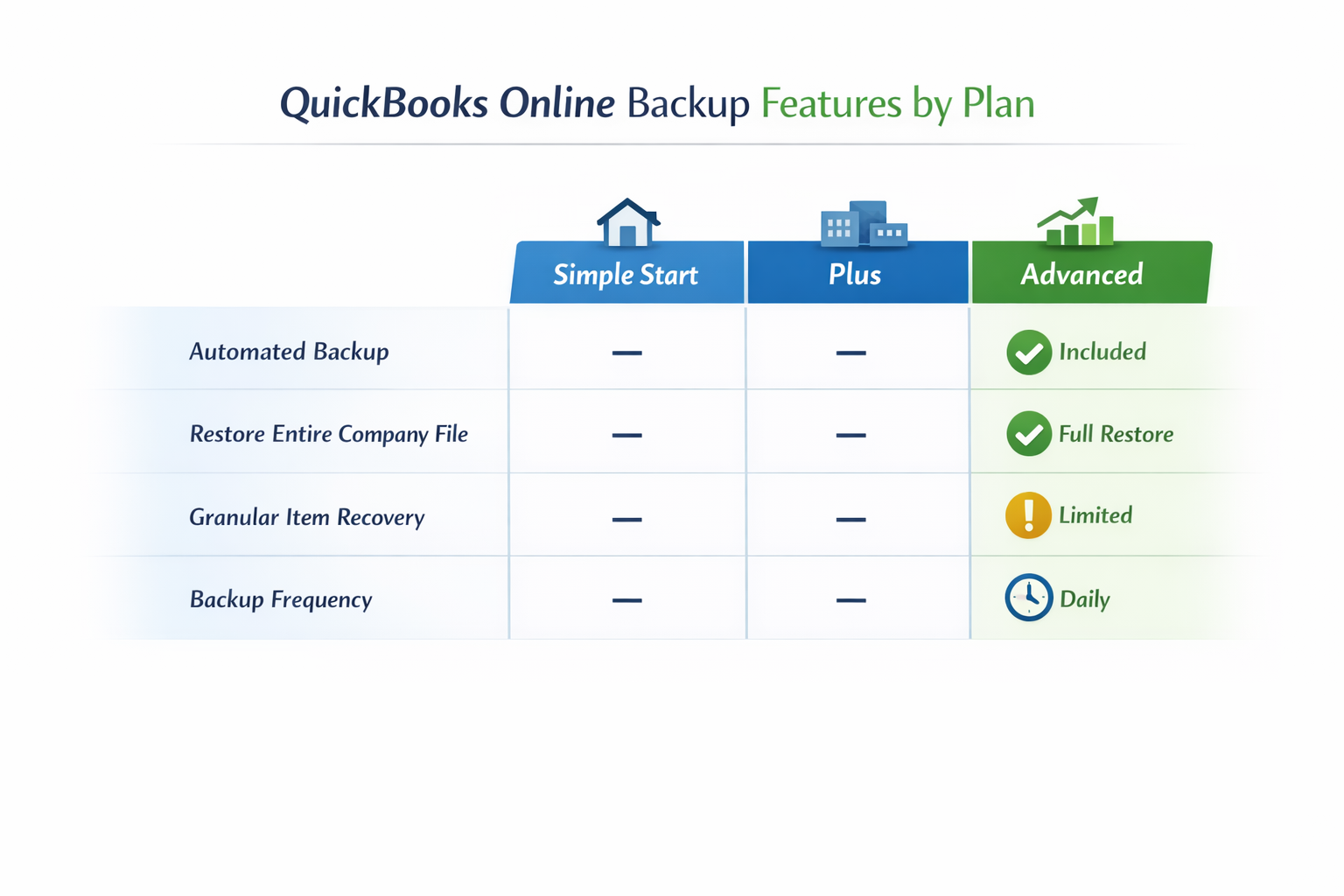
If you’re using QuickBooks Online Simple Start or Plus, there is no built-in backup and restore feature available for your company file.
You can export reports, review audit logs, and manually correct errors, but there is no native way to restore your QBO environment to a prior point in time.
For accountants, this often means hours or days of cleanup work when something goes wrong — and sometimes no clean way to fully reconstruct what existed before the issue occurred.
QUICKBOOKS ONLINE ADVANCED: BETTER, BUT BASIC
QuickBooks Online Advanced does include a native Backup & Restore feature. This is a step in the right direction, but it’s important to understand its limitations.
The Advanced backup runs automatically and allows you to restore data from a previous point, but not all data is included, and restores are not always complete or granular.
Certain data types don’t back up or restore cleanly, including:
- Inventory history and adjustments
- Some tax configurations
- Certain payment and reconciliation details
In addition, restores are typically broad in scope rather than targeted, meaning you may need to restore more data than intended just to fix a specific issue.
This makes the Advanced backup useful as a safety feature, but not a full data protection strategy for most firms or growing businesses.
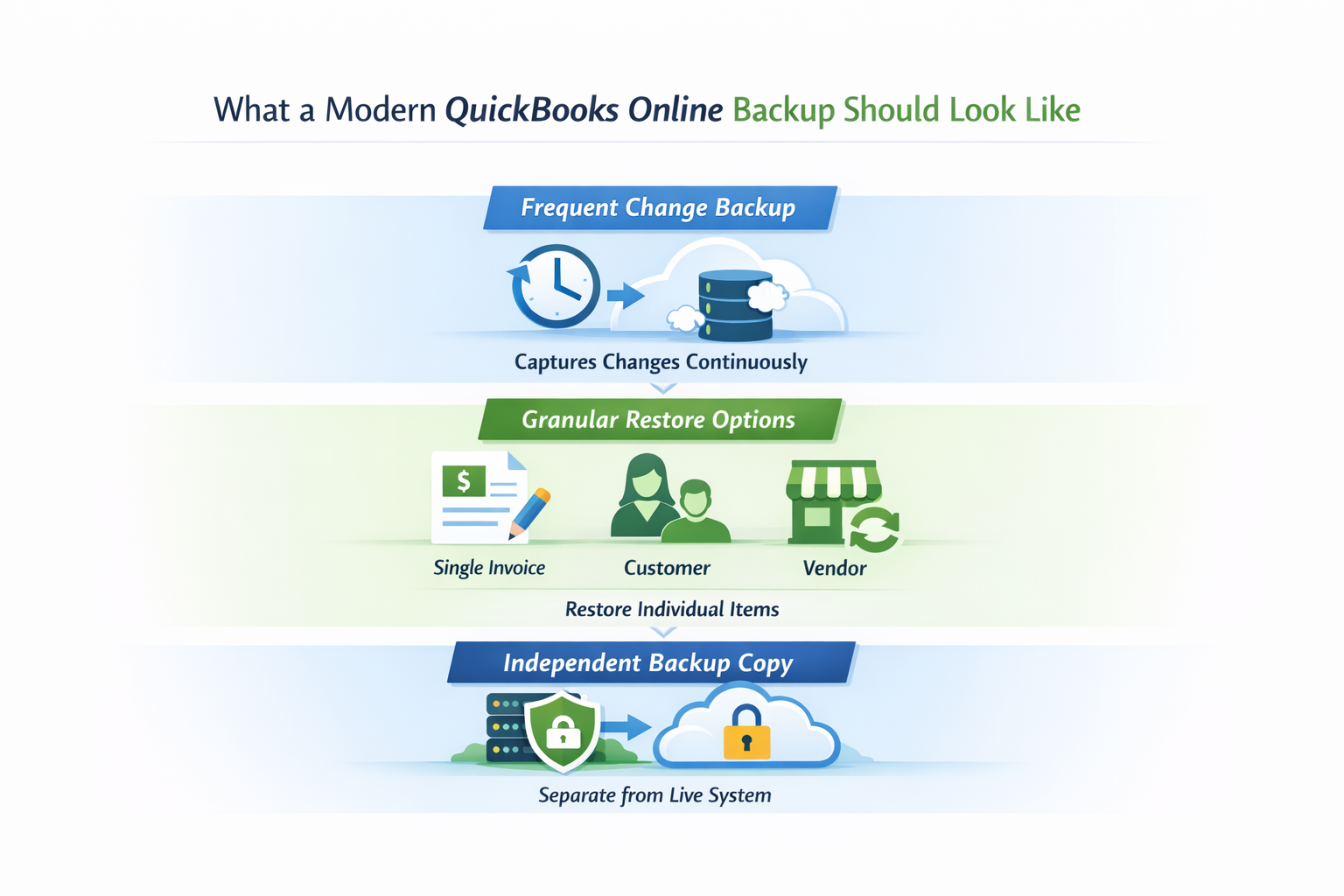
What a modern QuickBooks Online backup should look like
what QBO backup should be
When businesses hear the word “backup,” they often assume it means something happens automatically in the background and they can recover from almost any mistake. In practice, that level of protection requires a backup system that’s designed specifically for SaaS applications like QuickBooks Online.
At a minimum, a modern QBO backup should do more than run once per day. Ideally, it should capture changes as they happen or very close to real time. That way, if a problem occurs—whether it’s an accidental deletion, a bad sync, or an import that touches thousands of records—you’re not limited to restoring from “sometime yesterday.”
Equally important is granularity. A real backup should allow you to restore individual items—like a single invoice, customer, or vendor—without rolling back large portions of the company file and creating additional cleanup work.
Finally, the backup should exist independently of the production QuickBooks Online environment. That independence matters when dealing with corrupted data, integration failures, or access issues, because it ensures your recovery option isn’t tied to the same system that experienced the problem in the first place.
This is the difference between having a safety feature and having a true data protection strategy.
QBO Plan Coverage
WHY THIS MATTERS FOR ACCOUNTANTS
Accountants are often the first call when something goes wrong in QuickBooks Online. Clients expect answers, fixes, and fast recovery — even when the issue wasn’t caused by accounting work.
Without a proper backup strategy, recovery often turns into manual cleanup, increased risk, and difficult conversations with clients about what can and cannot be fixed.
Having a clear, reliable recovery option isn’t about convenience — it’s about protecting accuracy, compliance, and trust.
THE RIGHT WAY TO THINK ABOUT QBO BACKUP
QuickBooks Online follows the same shared responsibility model as most cloud platforms. Intuit secures the platform. You are responsible for protecting your data.
The real question isn’t whether QBO is reliable. It’s how quickly and confidently you can recover when something goes wrong.
Don’t wait for the “oh no” moment.
If your backup can’t restore a single invoice, can’t roll back to a clean point after a bad sync, or only runs once a day, you may not be able to recover fast when it matters. QBO Advanced backup helps, but it’s limited in what it includes and how it restores.
Infinite Technologies USA can help you put a modern, recoverable backup plan in place—frequent change capture, granular restores, and an independent copy of your data. Request a QBO Data Protection Assessment and we’ll outline the gaps and the fix.